
Connect once. Make it part of your day.
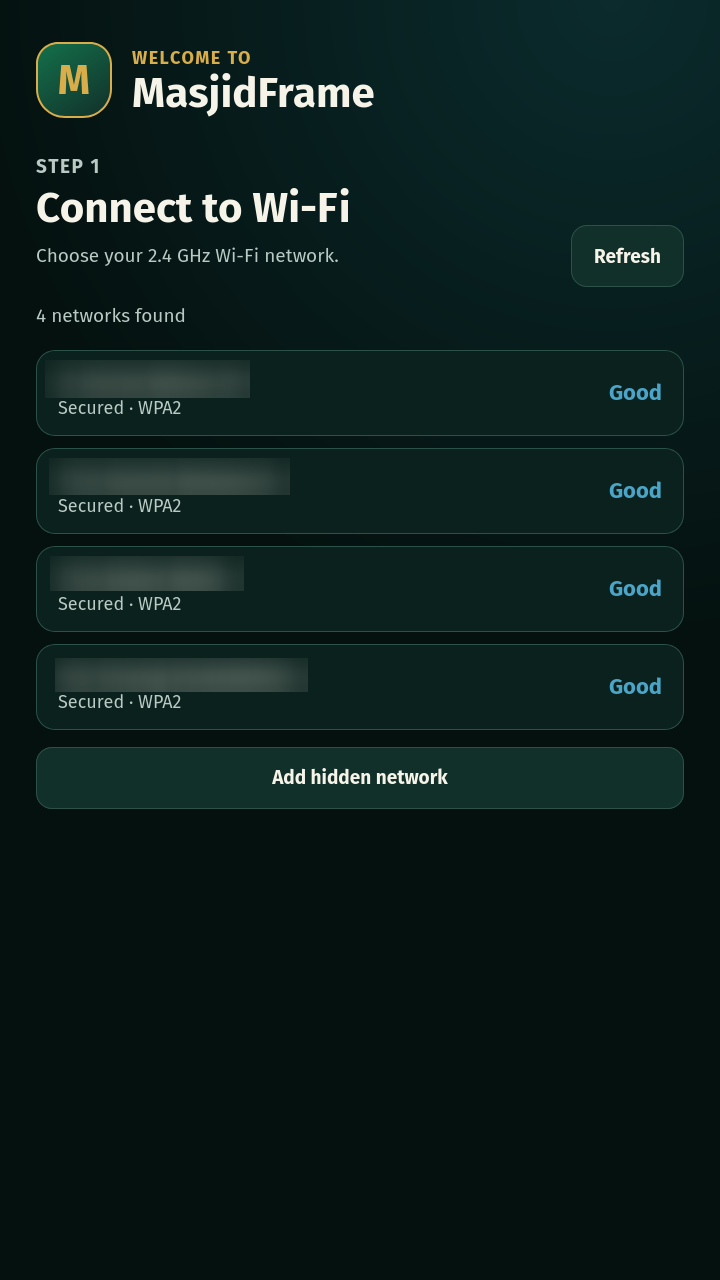
1. Power on and connect
Plug in MasjidFrame and follow the on-screen setup. Select your Wi-Fi network and enter its password using the touchscreen keyboard.
2. Choose your community
Choose your location and select the masjids you want to follow. Board information and audio broadcasts have separate selections, so you can choose what matters to your household.
3. Make it yours
Select an Islamic radio station, set the volume and choose a display theme. MasjidFrame checks for updated content while connected to the internet.
Touchscreen or web controls
Use the quick settings on the display for everyday changes. The web interface gives you access to settings from a phone or computer on the same network.
When a broadcast starts
MasjidFrame can play broadcasts from your selected supported masjid. Broadcast availability and timing depend on the masjid’s audio service.
What you need
- A power socket near the place you want to use MasjidFrame.
- A home Wi-Fi network with internet access.
- A supported masjid or radio source for the content you want to receive.